Keywords: grass rendering, bezier curves, geometry shaders, perlin noise, OpenGL
Introduction
In this homework, we were expected to implement the below operations:
- Grass generation on geometry shaders using bezier curves
- Perlin noise to simulate wind effect on the grass
- Color interpolation on grass
Throughout this blog post, I will explain the details of how I implemented grass with necessary visuals.
Rendering Floor
To obtain a soil ground, I rendered a quad and rotated 90 degrees around x. The generated grass will be on top of that.

Rendering Background
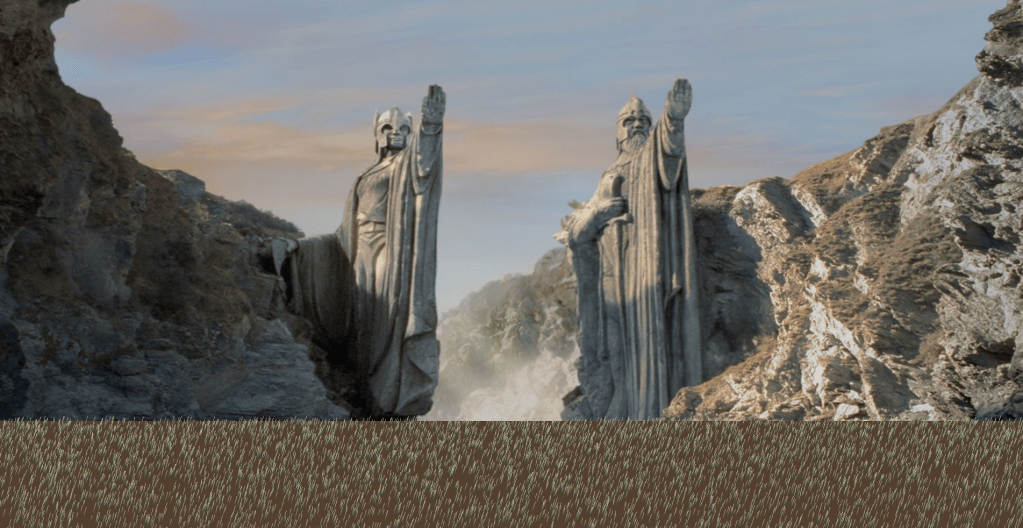
To obtain a background that matches the grasses I rendered a quad and attached a texture to it. The background looks like below with different images:


Procedural Grass Location Calculation
In order to calculate the grass locations on the ground soil, I used uniform normal distribution. I only need x and z values for starting position of the bezier curve and randomly chosen height with uniform normal distribution. I generated 20000 points on the ground but the number can be changed if more grass blades are desired.
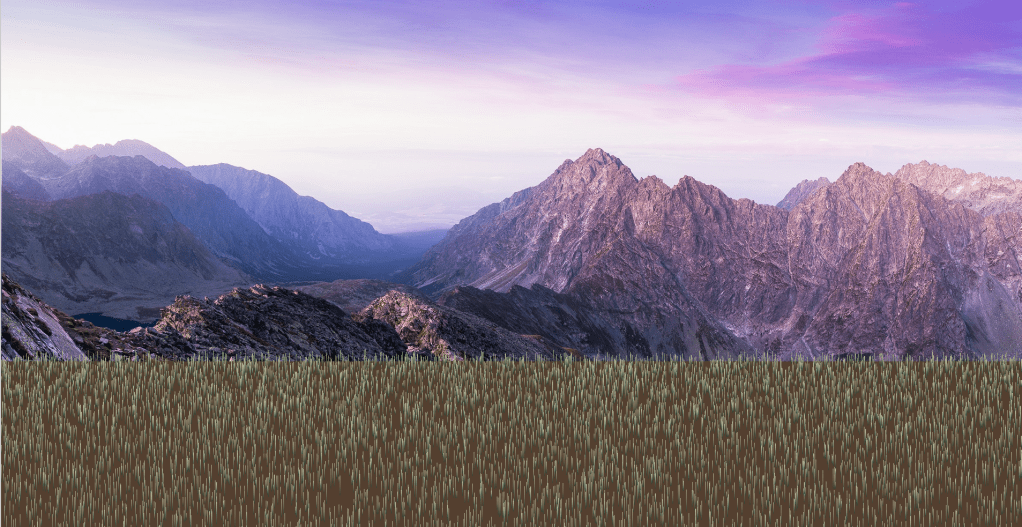
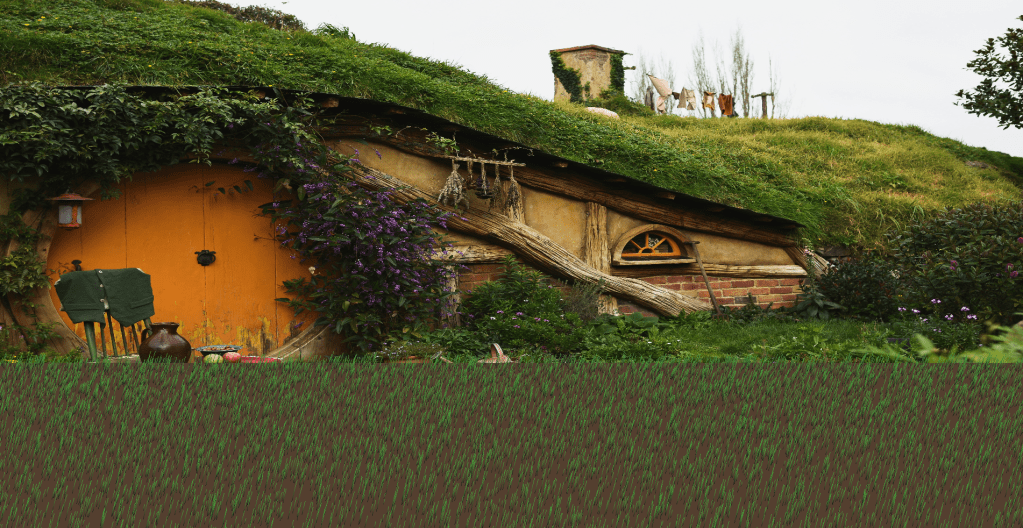
Geometry Shader
As previously explained, the starting position of each grass and their height is decided with uniform distribution and the information is sent to the fragment shader using vbo and vao.
In the vertex shader I take the corresponding values as such per vertex.

After position of the vertex is oriented with respect to projection, viewing, and modeling matrices the position and height is sent to the geometry shader.
Vertex shader sends the data as such:
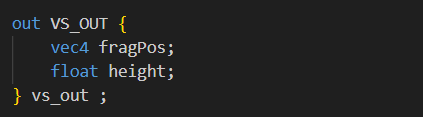
Geometry shader catches the data as such:
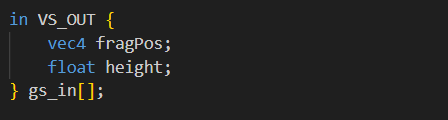
If the task would not include changing the height of the grasses in the run time, I could have calculate the bezier curves in the CPU and send the positions of 4 control points as lines_adjacency to the geometry shader. However, height can change during the runtime. Hence, in terms of number of times the geometry shader runs, the count is the same as the vertex shader when points are sent to the geometry shader.
To visualize a grass blade, firstly, I arranged 4 control points to draw a flat line using the below equation:

Now we have the control points but to refrain from sharp edges on the grass, we need to output sufficient points using the bezier curve equation. I used 100 segments for each grass.
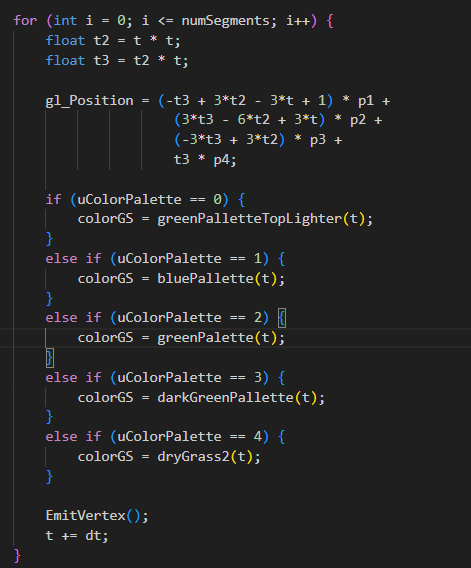
To observe a transitive color on the grass, each segment has a slightly different color depending on their t value. Different palettes uses t value to get an interpolated color for that segment of the grass. In the below image, the effect of the color palette can be observed.
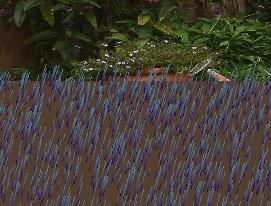
Color of each segment is outputted to the fragment shader after EmitVertex(); is used.
Vibration and Wind Effect
To implement wind effect on the grass and to have a thorough wind swinging through the grasses, we were expected to use perlin noise.
Here is the mathematics behind the perlin noise implementation:
I need a random vec3 using to the position of the grass. Each grass will move with the wind similar to the other grass blades around them. This can be achieved with perlin noise since it produces similar values for close points.
I implemented the same logic in our course slides.
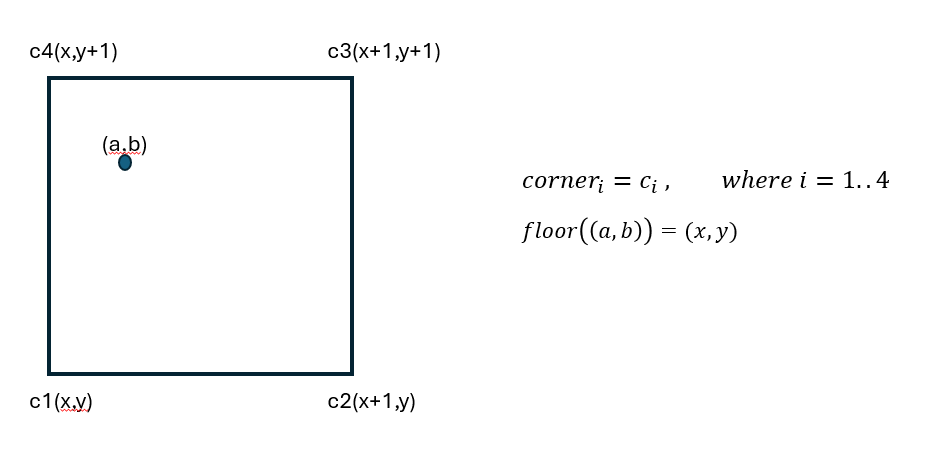
The point (a,b) represents the input point. Perlin noise will return a floating point number. To find in which grid this point resides, I used floor function like below.
After that, we need to generate random gradient vector for each corner like below. I used a hash function inside the randomVec3 function.
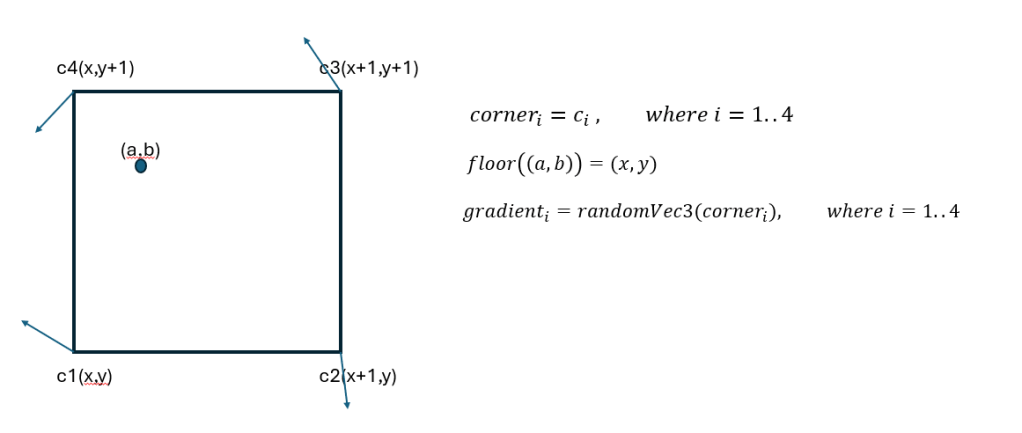
The next step is to calculate direction vectors from each corner to our point.
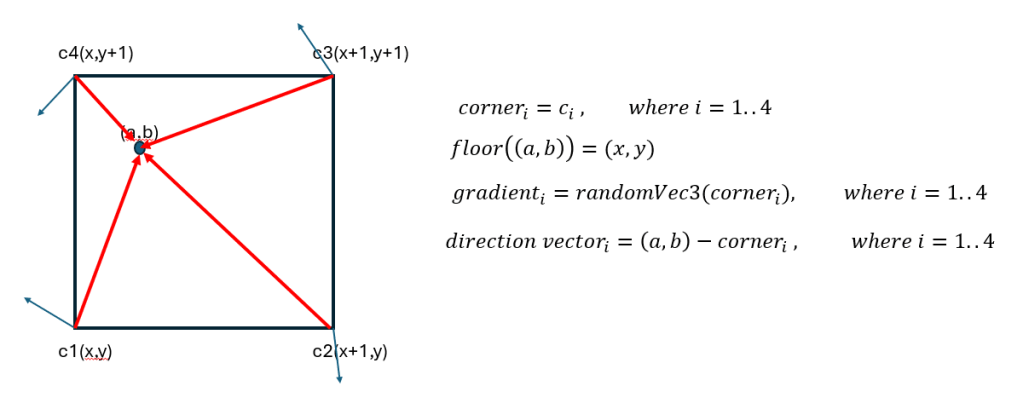
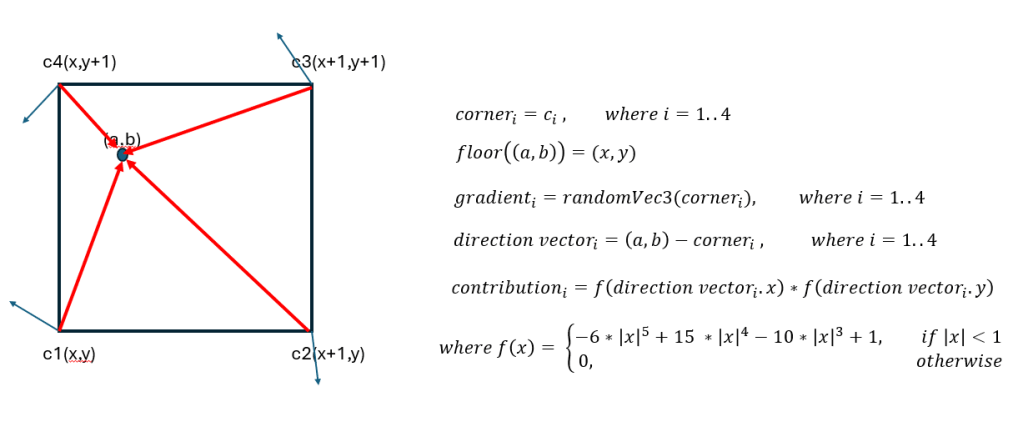
To calculate the contribution of the point to each corner, we need the x and y distances to each corners. Direction vector x and y values will give that. By substituting these values to the f(x) and multiplying them, we obtain the contribution of point to each of the corners.
Next step is to calculate the dot product of gradient vector and direction vector for each corner.
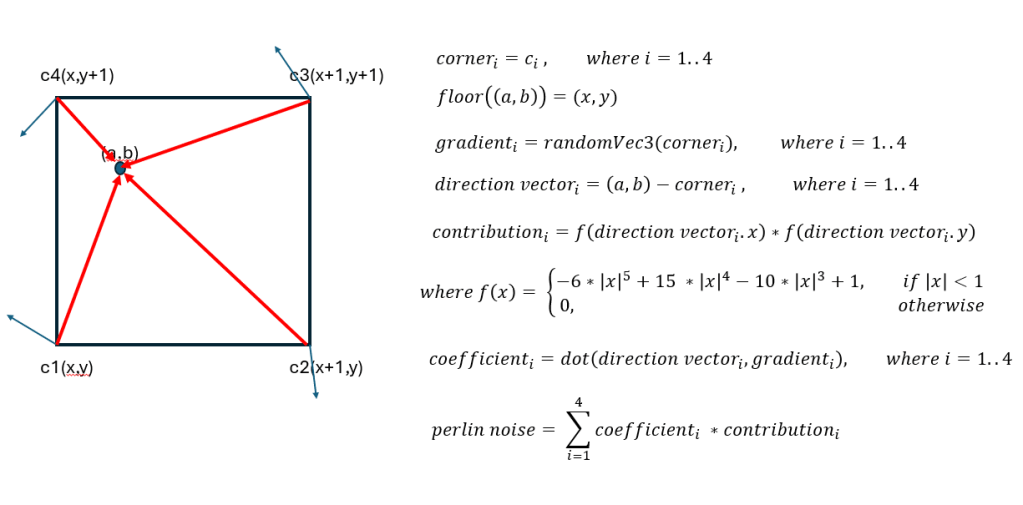
Using dot product and contribution of each corner, we can find the perlin noise easily.
I indexed the perlin noise function input with current time to move the grass blades as such:
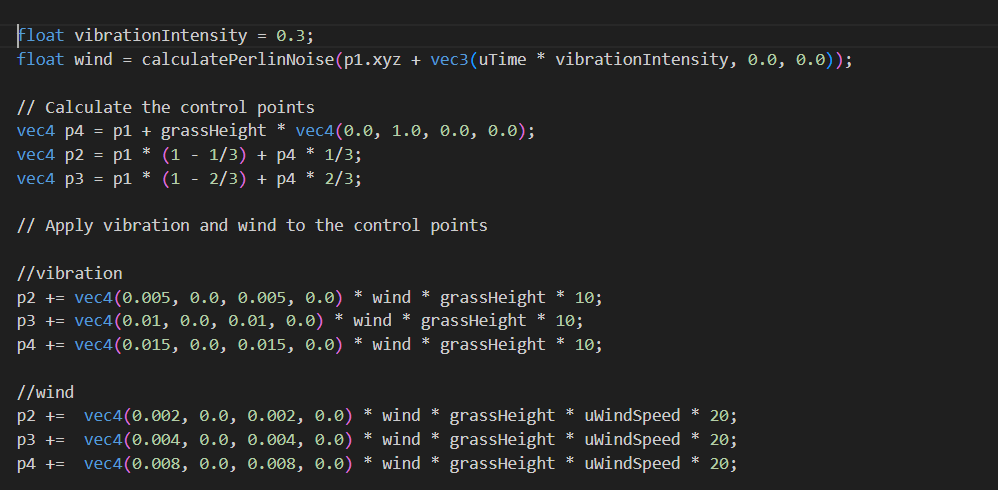
To obtain a natural view, we were expected to give a little vibration to each grass blade. Additionally, I applied vibration and wind regarding the grass’ height.
Here is a video of my application:
Some Interesting Results
Throughout my perlin noise implementation, I also experienced perlin noise on generating some waves on the grass. These interesting results can be observed from this link. Normally, for glass blades to swing in the wind, I applied perlin noise only on x and z directions. To obtain a sea wave, I applied it on x and y directions. Instead of using horizontal lines, by using vertical wavy lines could make it look more like a beach perhaps.
A Different Approach to Bend the Grass Blades
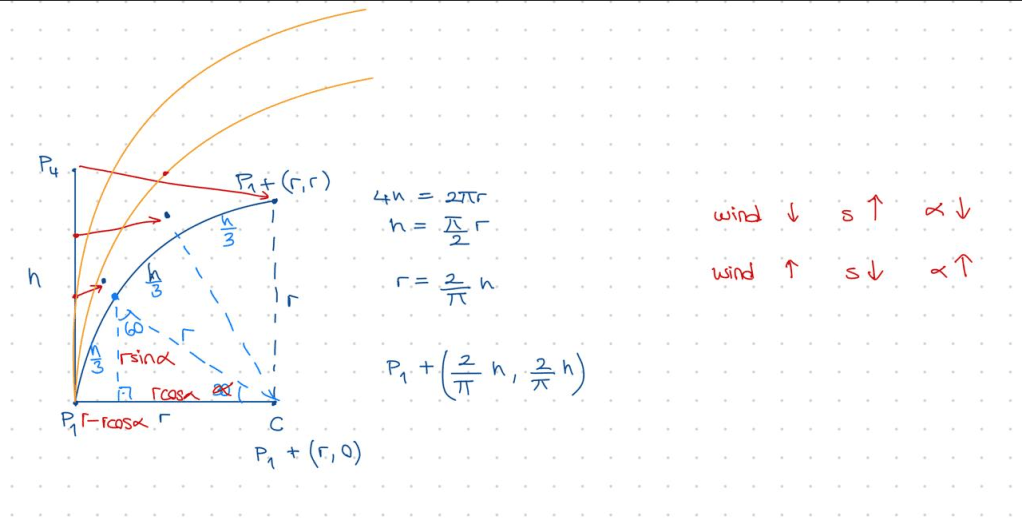
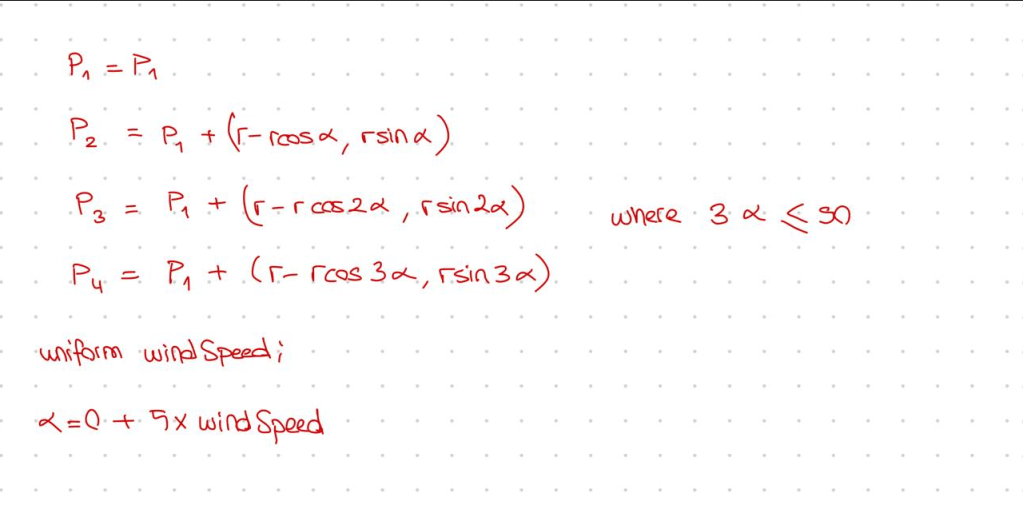
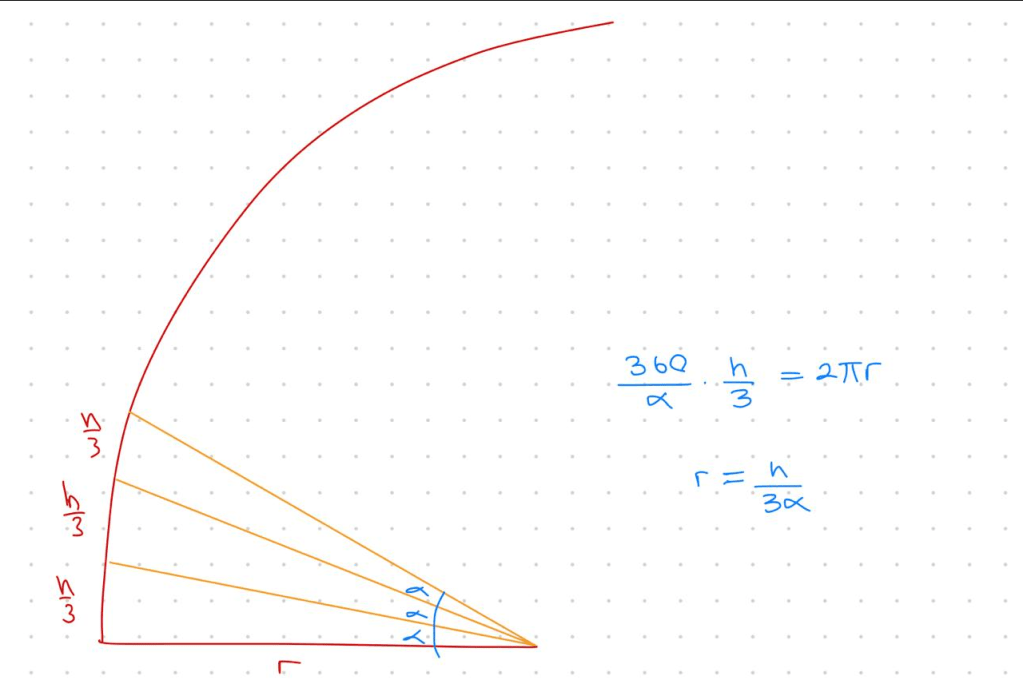
Instead of moving the control points with the perlin noise in x and z directions, we can use the height of the grass the calculate the end point of the bezier curve and other control points location. This way, the height of the grass blade would not change when wind occurs.
Here are the mathematical calculations for this approach:
 Elif Ecem Ümütlü